Tap the big green button
The title screen greets your child (“Welcome to Little Explorers! Tap the big green button to play!”). It is a little playground in itself — the sun, the giraffe, the tent, the rabbit and the duck all react when tapped.

Game guide
Little Explorers / Game guide
Everything a grown-up needs to know, from the first launch to the sticker book — then a full guide to every game, land by land.
The one rule
Mistakes never cost anything: a wrong answer gets a gentle wobble, a soft sound and “Try again!”, and a hint follows. There are no lives, no countdowns, no reading required for the youngest lands, and every land is open from the start. Let your child explore — the app will show them the way.
The title screen greets your child (“Welcome to Little Explorers! Tap the big green button to play!”). It is a little playground in itself — the sun, the giraffe, the tent, the rabbit and the duck all react when tapped.
“Who is exploring today?” Your child chooses one of five guides. The explorer walks along the map to each game, cheers at every win and rides the rocket in Space Trip.
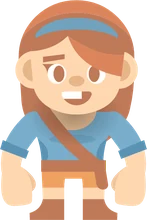
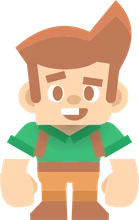
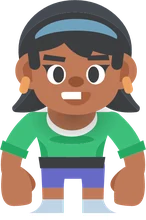
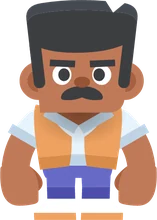

Change explorer any time by tapping the round picture in the top-left corner of the map.
“What’s your name?” A big friendly keyboard of letter tiles — no phone keyboard — speaks each letter as it’s tapped, up to 12 letters. Grown-ups can help, or tap Skip.
The narrator then uses the name now and then (“Great job, Mia!”), it appears under the explorer on the map, and it unlocks name tracing in Letter Trail and the name level in Sky Pilot.
The name is stored only on this device and never leaves it. A first name or a nickname is all it needs.
“How old are you?” Four floating sky islands hold balloons numbered 2 to 12. Tapping a balloon lights up its island, and “Let’s go!” opens the map on the land that fits:
The age only decides where the map opens — every land stays open. It can be skipped, and changed later in the grown-ups area.
The menu is one continuous world that scrolls sideways through the seven lands, youngest to oldest. Each land has a gate with its mascot (tap it to hear the land’s welcome), a landmark, and its games as illustrated postcards along a winding path. Tap a postcard and the explorer walks there and opens the game.
The scenery is alive too: ducks quack, toy blocks say their letters and a rocket counts down when tapped.
On iPhone and iPad, games beyond the first two in each land show a golden padlock until the one-time unlock is bought. Tapping one says “This game is locked. Ask a grown-up to help!” and opens the parental gate.
Games have no title screens or menus — play starts straight away with a spoken instruction. The top bar keeps just a few things:
On Android, leaving a game for the map is the only moment an ad can appear — and only if your child has played for a while and none was shown in the last four minutes.
Every game has a coach. The first three times a game is played, an animated hand with a pulsing highlight demonstrates the next move straight away. After that it waits, and steps in when your child has made no progress for a moment, or right after a mistake:
Wrong answers are never punished: a gentle sound, a little shake, some encouragement (“Almost! Have another go.”) and then a hint. The hand disappears the moment your child does something right.
Most games have a ladder of levels, and each level brings something new — a new scene, a new twist, a new idea — not just bigger numbers. Usually two wins at a level unlock the next, with a big “Level up!” celebration. Levels never go down.
Tap the level badge in the top bar to open “Pick a level!”: any level already reached can be replayed, and locked ones show a padlock (“Keep playing to unlock it!”). On the last level, rounds keep coming with fresh content.
Every finished round earns stars, which fly up to the counter. In most games: no mistakes earns three stars, one or two mistakes earn two, more earn one — so every finished round earns at least one. Tiny Tots always gives three; a few puzzles count moves or guesses instead.
Stars unlock stickers: the first after the very first star, then a new one every three stars, 50 in all — animals, aliens, a cupcake, a palm tree… The purple book button at the top right of the map opens “My Sticker Book”, and shows a red “!” when a new sticker is waiting.
Once a day, a speckled egg with a “Surprise!” tag appears next to the explorer at the top of the map. Tap it: it wiggles, cracks and hatches an animal, and the narrator names it and shares a fact (“Surprise! It’s a…”). It’s worth a bonus star. Come back tomorrow for the next one.
The small grown-up button at the bottom right of the map opens a parental gate: three numbers written as words, such as SEVEN · TWO · FIVE, to type on a keypad. Young children can’t read the words; a new code is drawn every time.
Behind it: sound effects, music and talking-voice switches, a daily play-time limit, the child’s age, reset progress, and the one-time purchase with “Restore purchases”.
Worth knowing early
It only picks where the map opens. Every land is open from the start — scroll, or tap a land tab, to go anywhere.
Tap the star with the number in a game’s top bar to open the level map and replay any level already reached.
Missed the instruction? The speaker button at the top left of every game says it again.
Type a name on first launch and Letter Trail adds a name-tracing level, while Sky Pilot spells it in the clouds on level 8.
A new surprise egg appears each calendar day. Make it part of a routine: hatch it first, then play.
Outside Tiny Tots, stars count mistakes (or moves and guesses) — never time. A slow, careful round earns three.
The daily play-time limit only counts time inside games, not browsing the map or the sticker book.
Saved pictures go to the in-app gallery inside Paint Studio, not the photo library, and uninstalling deletes them.
Next
Two wins per level carry your child up each game’s ladder, the sticker book fills every three stars, and the older lands are waiting whenever they’re ready. For a grown-up’s view of the settings and purchases, see For grown-ups.
The lands
Each land page explains how its games play, what they teach, every level, and tips for playing along. Or see every game in one table.
First taps for toddlers: giant targets, one-step actions and no wrong answers.
Paint, colour, build silly monsters, make music, mix colours and solve jigsaws.
Trace letters, pop letter bubbles, spell animal names and fly through letter clouds.

Count bugs, feed a monster, finish patterns, join the dots and run a fruit stall.

Dive with fish, fly to the planets, find animal homes, learn road safety and name feelings.

Sums, telling the time, first coding, sudoku, fractions, spelling, coins and mazes.

Nonograms, first algebra, flags and capitals, word search, tangrams, circuits and logic.